
4NPoker Setup
(KLAS Poker, Chrome, Firefox)
Follow this guide to learn how to best configure your 4NPoker client for use with IntuitiveTables.
-
Import Custom Site
4NPoker is a community-maintained custom site within IntuitiveTables. To use it, download and unzip the latest version of 4NPoker from Community Maintained Custom Sites.
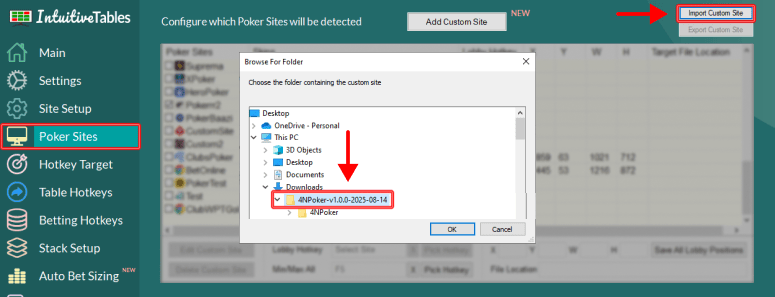
Once downloaded and unzipped, navigate to the Poker Sites tab and click "Import Custom Site" and select the extracted 4NPoker folder.
Note: After importing 4NPoker you will need to close and reopen IntuitiveTables.
-
Browser Configuration
For the most reliable hotkeys and overall experience on 4NPoker we recommend you launch your browser in a specific way:
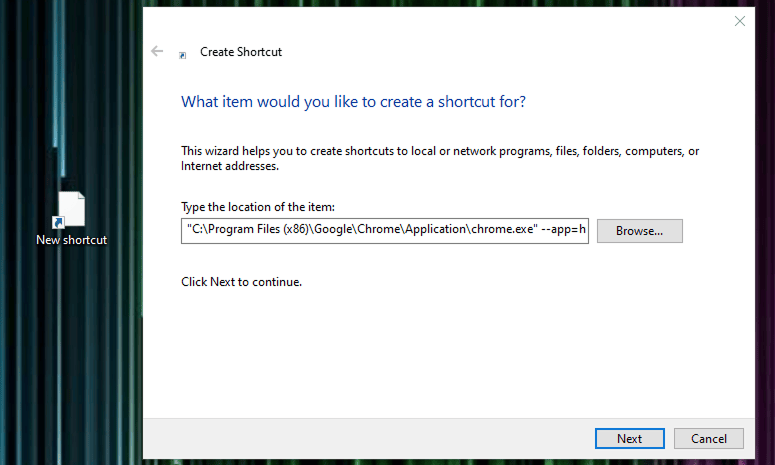
- Right-click your desktop and select "New" > "Shortcut."
- In the "Create Shortcut" window, paste the following command:
"C:\Program Files (x86)\Google\Chrome\Application\chrome.exe" --app=https://www.4npoker.com/ --disable-renderer-backgrounding --disable-background-timer-throttling --disable-backgrounding-occluded-windows --force-renderer-accessibility
- Click "Next" and name your shortcut "4NPoker" and click "Finish".
- Use this shortcut to load 4NPoker in an optimized chrome window.
-
Table Detection
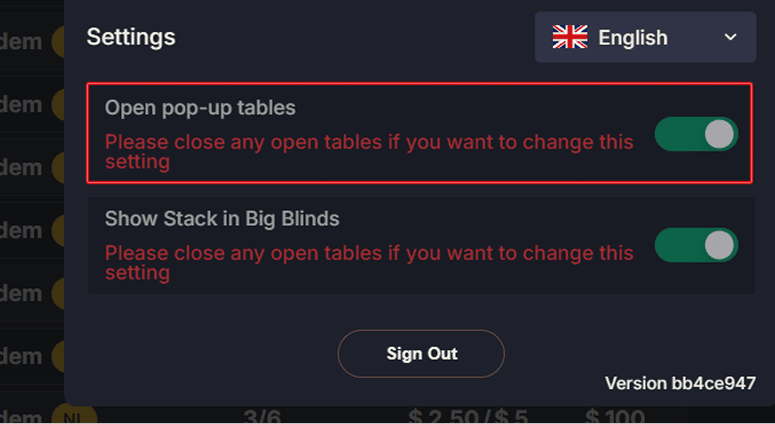
- Open pop-up tables needs to be enabled for IntuitiveTables to recognize 4NPoker tables. This can be found in settings when clicking on your avatar in the main lobby after logging in.
-
Enable Hotkeys
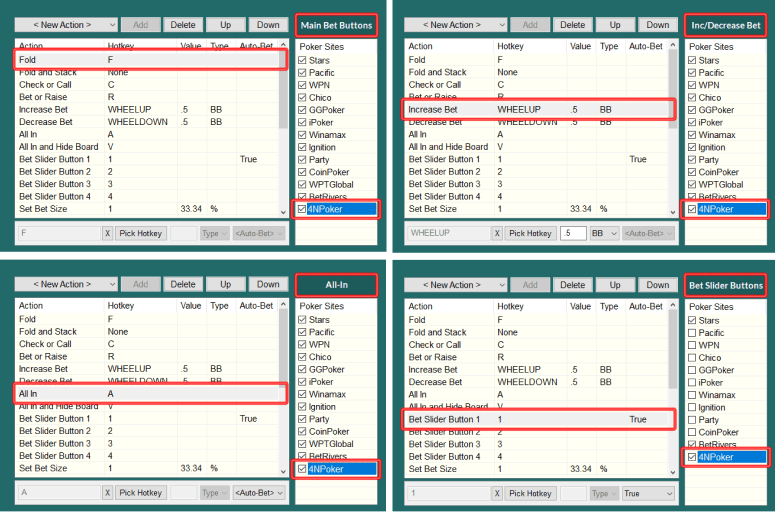
- After 4NPoker is added and IntuitiveTables is reopened, you can enable 4NPoker in the Betting Hotkeys tab for each hotkey group you plan to use.
Note: For the most reliable hotkeys, we recommend keeping your table in a slot built by IntuitiveTables.
If you have any problems with hotkeys you may need to take new captures (Step #5) and update your table elements (Step #6).
Note: Still having an issue with 4NPoker? Ask in Discord or contact support@intuitivetables.com.
Back to Site SetupReady to get started?
The free two week trial includes access to all available features. No credit card is required.